
Free
$0 a month
- One live page with up to 3 products
- Up to 100 customer profiles
- Customer-data CSV export
- Your logo and colors, with Jellybean attribution
Use case
Customers scan the code on your product or its packaging, register it with their email and unlock its guide. No app to download.
No signup or credit card needed to preview.
Product registration on Jellybean is a branded page behind a QR code on your product, its packaging or an insert. Customers register what they bought, and you learn who they are. It suits brands that sell physical products: clothing, shoes, gear, toys, tools, cosmetics and home goods.
02 / The customer
The phone’s camera opens your page in the browser. There is nothing to install.
They pick their product and continue with Google, or with their email and a PIN we send to confirm it. Marketing emails stay off unless they switch them on.
The product’s guide unlocks and their products are saved for next time. Add a thank-you code, a link to your shop or your store’s address and directions.
03 / Your team
Each registration goes into a customer profile you can see as it happens.
Export your customers as a CSV with email, name, sign-up date and marketing consent. Registration alone does not verify a purchase.
04 / Codes
Choose how specific the code on your packaging is. Every page comes with its own QR code to download.
The same QR code goes on every box, and customers pick their product on the page. The simplest start: print it like any other artwork.
Every plan
Each product gets its own code, so customers skip the choice. Anyone with the code can register that product, once each.
Every plan, in Studio
Every unit gets a code that can be registered once, so you know the exact item and its production run. It needs printing that changes the code on each unit.
Every plan, in Studio
Already have a QR code on your packaging? It works if you can change where it points. A barcode can’t open a page on its own: it holds a number, not a link.
05 / Real example
Crocs Collectibles runs on Jellybean. Each mini clog comes with a collector card carrying its own QR code. Scanning it opens the Crocs Collectibles page, where the collector signs up with Google or email and adds the clog to their collection. Each code can be registered once, so a code that has been used is turned away.
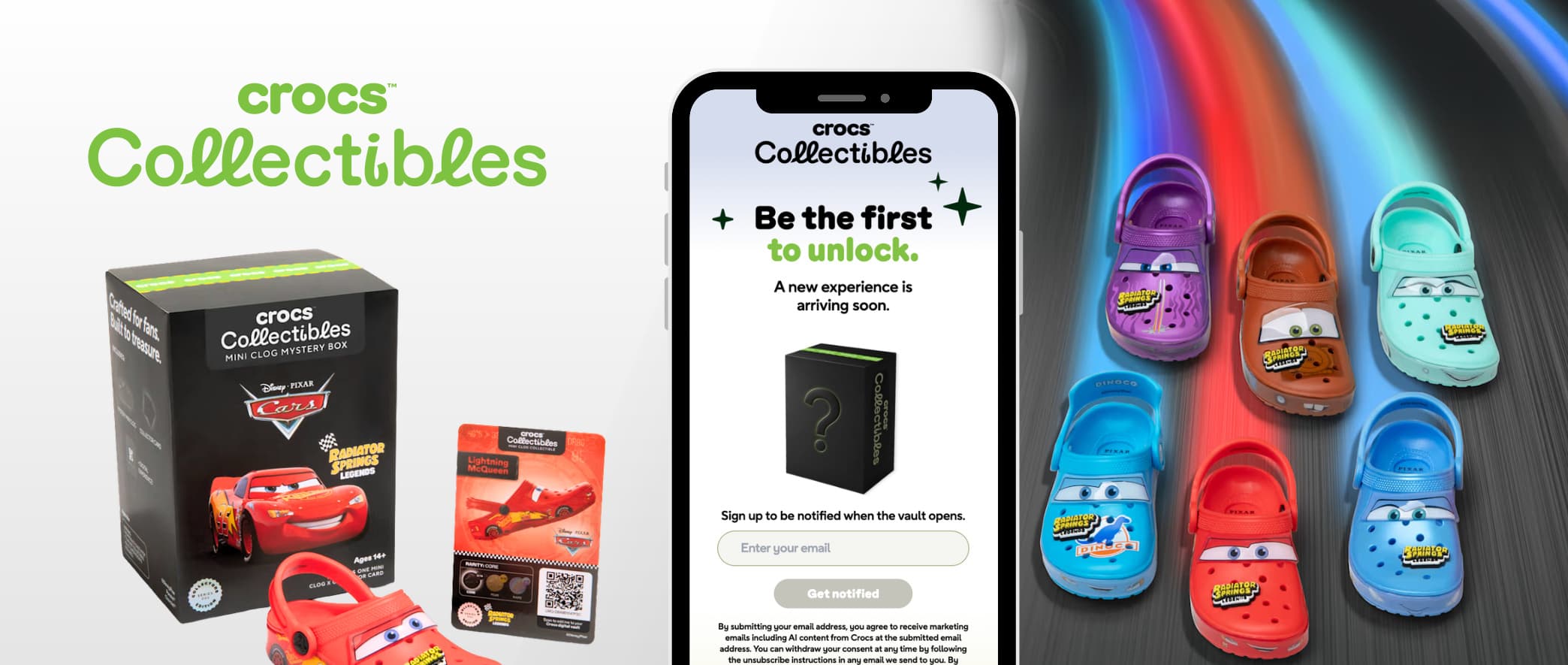
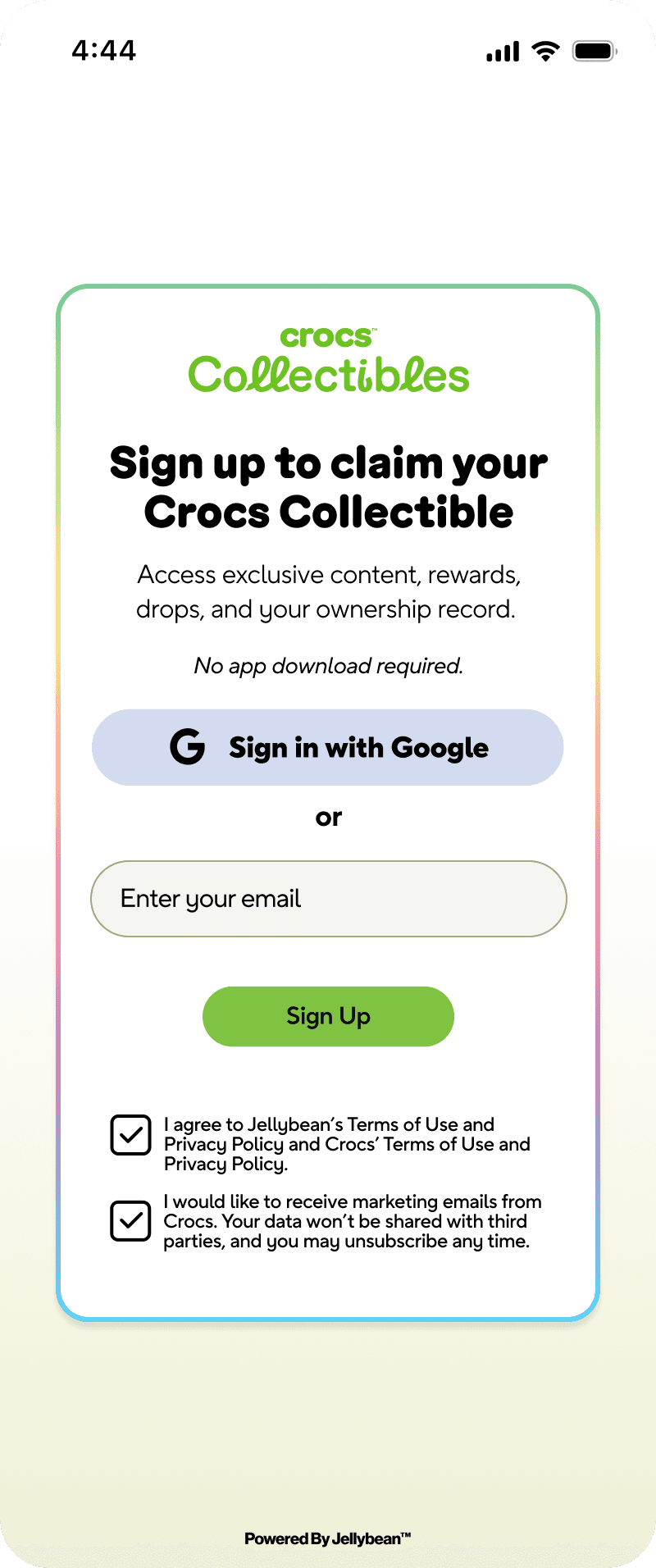
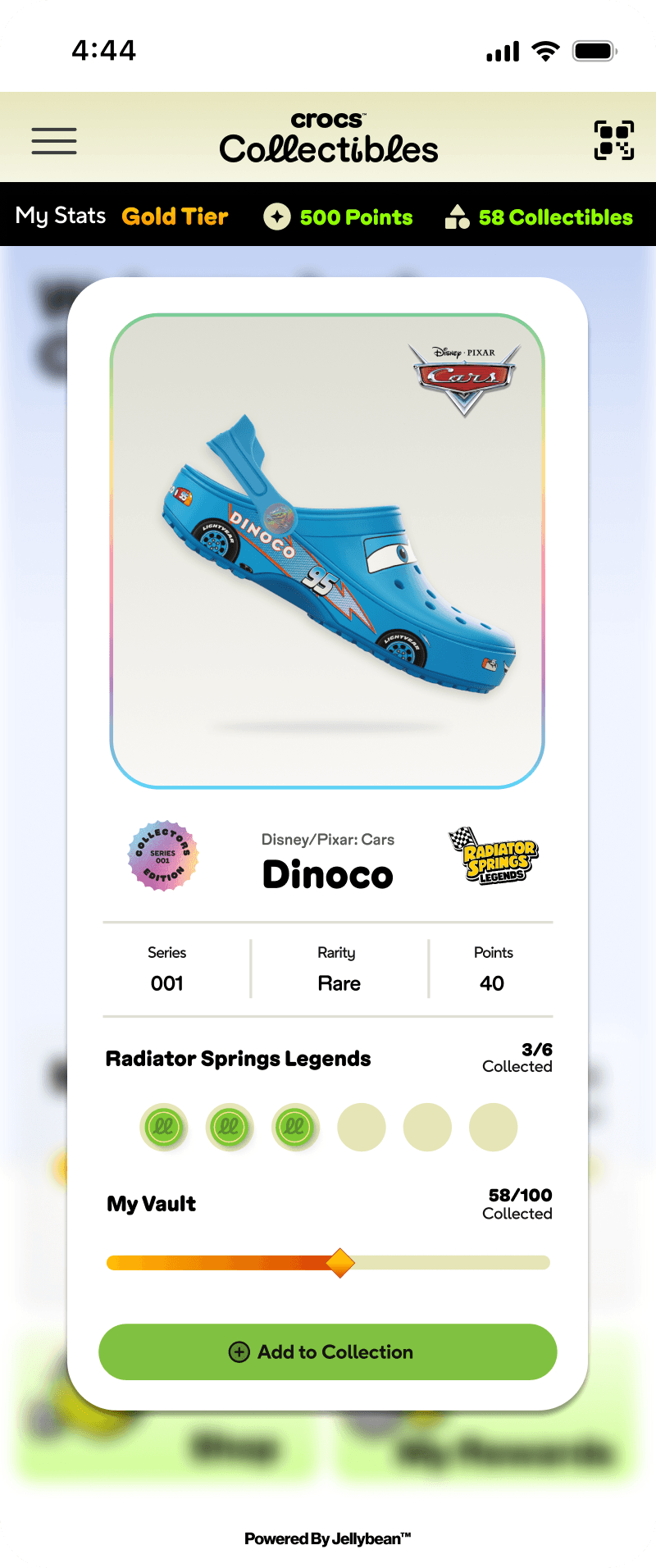
Crocs Collectibles uses screens made for the program. The page you preview starts simpler: up to three products and one code for the page.
06 / Warranty
Jellybean records who registered which product and when, with a confirmed email. With item codes, it also records the exact unit and its production run. Your team can look up each customer’s registered products in Jellybean.
Warranty, receipt and rebate workflows are on our roadmap.Coming soon
Plans
All prices in USD, per brand, before tax.
$0 a month
$99 a month, billed annually
or $149 billed monthly
Pro, from $249 a month billed annually, adds 10 team members and 5× Growth’s monthly AI allowance. Compare all plans
After they register
Offers, collections, streaks and messages on the same page. Post-purchase engagement
Questions
No. The phone’s camera opens your page in the browser.
Yes, if you can change where they point: send them to your Jellybean page. A barcode can’t open a page on its own, because it holds a number, not a link.
One code for the page is the simplest: the same artwork on every box. A code per item tells you exactly which unit was registered and can only be registered once, but it needs printing that changes the code on each unit. Compare the options
No. It tells you who registered which product and when, with a confirmed email. Registration alone does not verify a purchase.
A confirmed email, a name when they use Google, the products they registered and when, their marketing choice, their country, device and browser, and their visits. The CSV export holds email, name, sign-up date and marketing consent.
Not on the standard registration page, and receipts can’t be uploaded. Item codes record the exact unit and its production run without the customer typing anything.
A Product registration page lists up to three products. Growth and Pro have no limit on live pages or products, so a larger range can have more than one page.
Customers get a PIN by email to confirm their address. Jellybean doesn’t send registration confirmations or marketing email: export the customers who opted in and email them from the tool you already use.
No. Each item code can be registered once, so a copied code shows up as already used. That makes duplicates visible; it doesn’t stop copying.
In part. You get who registered which product and when, with a confirmed email, plus the unit and production run with item codes. Receipts, purchase dates, retailer and claims handling are not available yet. Using registration for warranty
Enter your website and Jellybean builds a first registration page with your products. No signup or credit card needed to preview.
Preview my brand